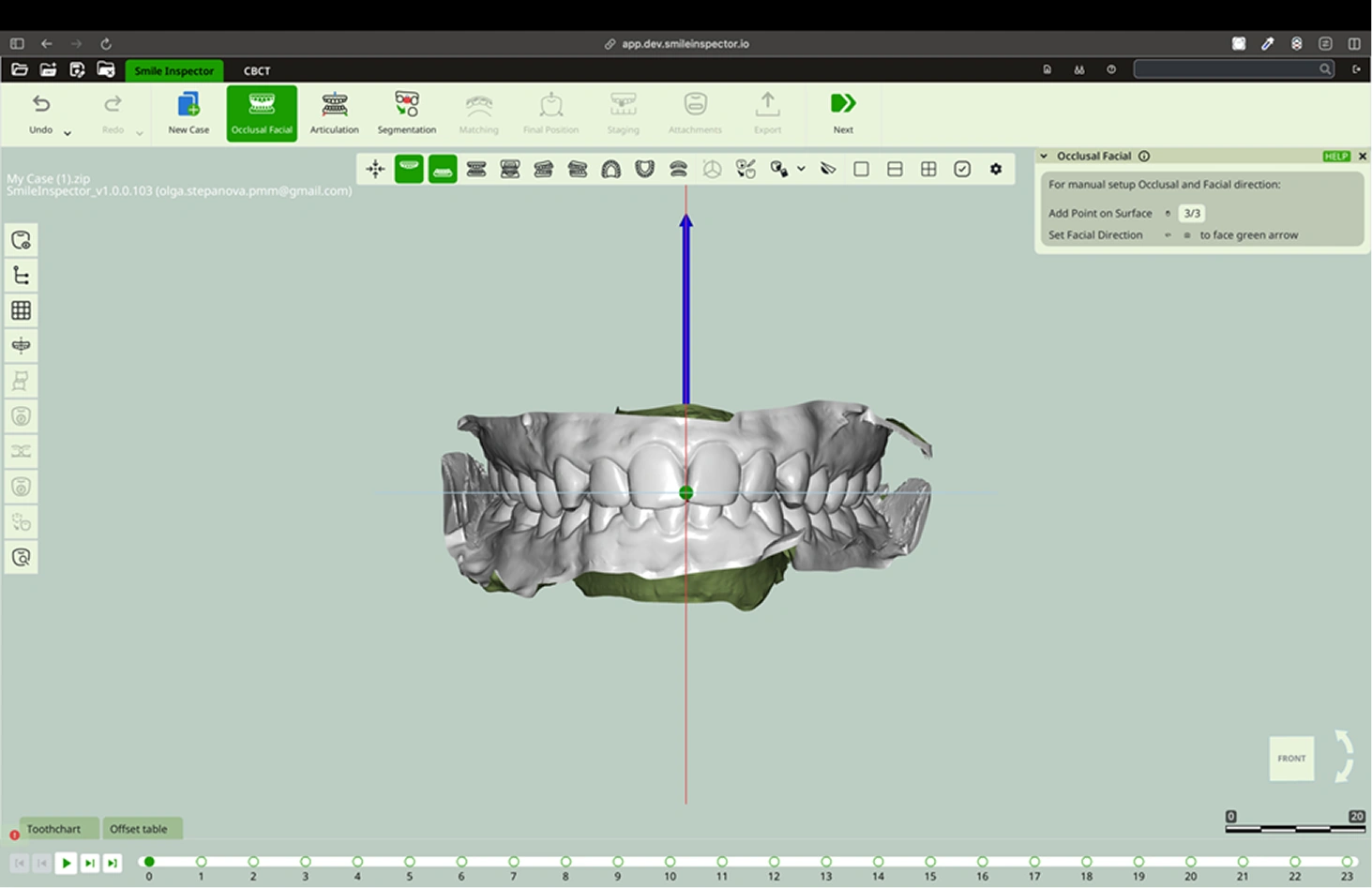
Occlusal Facial
What: Set model orientation.
How:
1.Place 3 occlusal points and 1 facial point manually. Position the arch from the upper occlusal view, and using the left click, place the points to form a triangle.
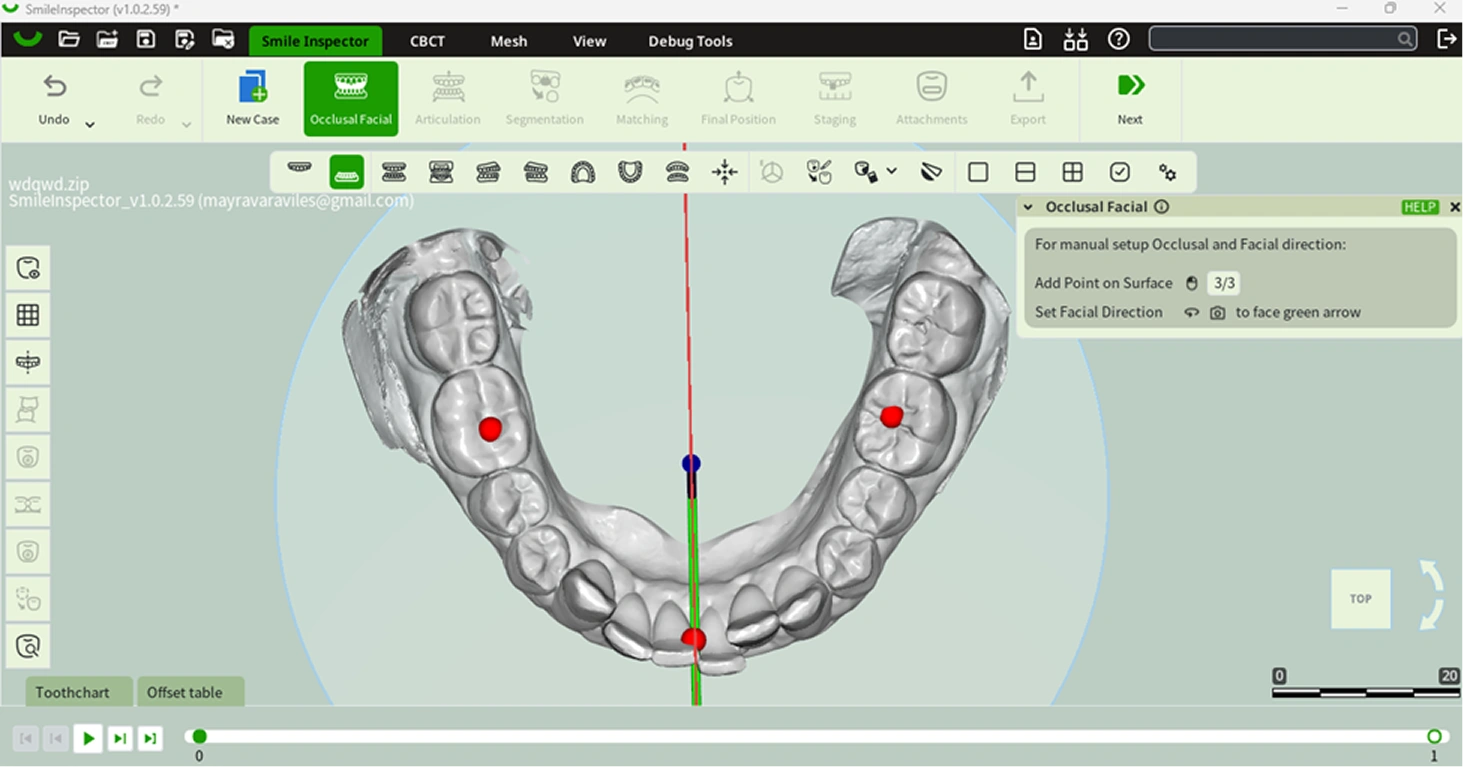
2.Rotate the camera to face the green arrow by pressing the mouse scroll wheel.