
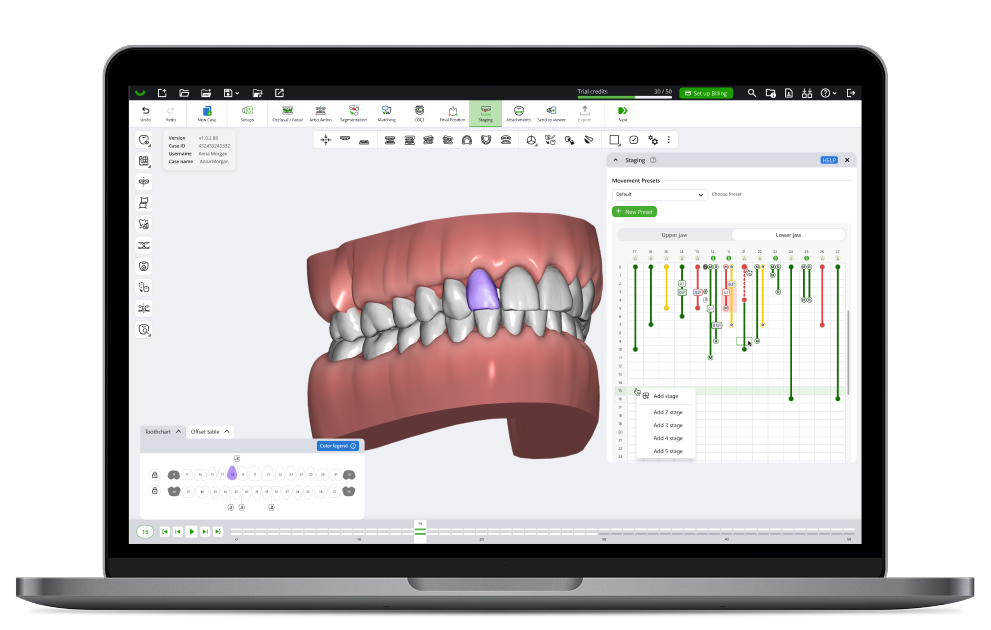
This release expands the range of cases you can plan in SmileInspector. You can now plan cases with missing teeth using pontics, see how teeth sit relative to the surrounding bone with a new CBCT heatmap, and stage tooth extractions partway through treatment.
Highlights
Pontics
Plan cases with missing teeth. Add a pontic where a tooth is missing, follow it through the whole case, and let doctors review it.
New Pontic Setup menu in the Ribbon
Add a pontic from the library where a tooth is missing
Replace an existing tooth with a pontic
Remove a pontic and assign or unassign neighboring teeth
Pontics adjust automatically as neighboring teeth move
Sculpting supported for pontics
Pontic shown in the Tooth Chart, Offset Table, and Staging Table
New Pontics item in the Visibility menu, with a distinct color in the scene
Move and scale pontics in Doctor Viewer
CBCT tooth-to-bone heatmap
See where teeth sit relative to the surrounding bone as you plan CBCT cases.
New CBCT mode that shows tooth-to-bone protrusion as a heatmap
Extraction on intermediate stages
Plan extraction cases more realistically.
Stage a tooth extraction at an intermediate step, not only at the start
Staging improvements
Smoother work while staging a case.
Type a stage number in Stage Player to jump straight to it
New tooltips on staging key points
New Average button in staging
CBCT workflow
Cleaner, more refined final teeth after merge
Attachments
The Load library button now appears in SmileInspector, not in Doctor Viewer
New attachments are additive by default
Trimline
Improved and more stable trimline calculation
Additional trimline normals improvements
Doctor Viewer
Open a specific allowed case revision directly from a shared link
Other improvements
Save screenshots from a case directly to the portal
New transparency controls in the Visibility menu
New setting to hide controls for the Dental Object Control tool
Stability and crash fixes across staging, CBCT, and Doctor Viewer