
Advice and answers from the SmileInspector Team

Updated over: 11/17/2025

Occlusal & Facial Views

What: Set model orientation.

Occlusal Facial

What: Set model orientation.
How:

1.Place 3 occlusal points and 1 facial point manually. Position the arch from the upper occlusal view, and using the left click, place the points to form a triangle.
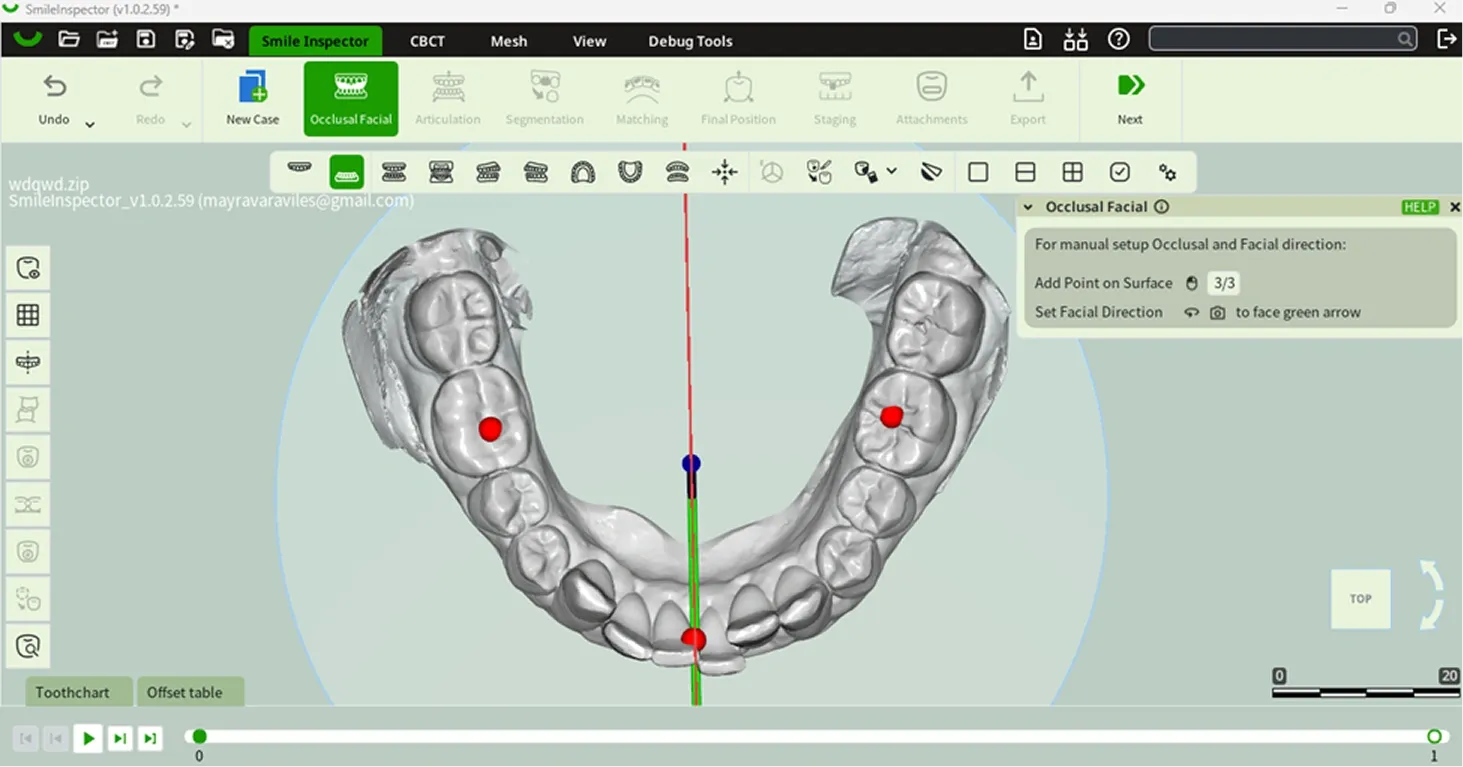
Selecting jaw in Final Position window

2.Rotate the camera to face the green arrow by pressing the mouse scroll wheel.
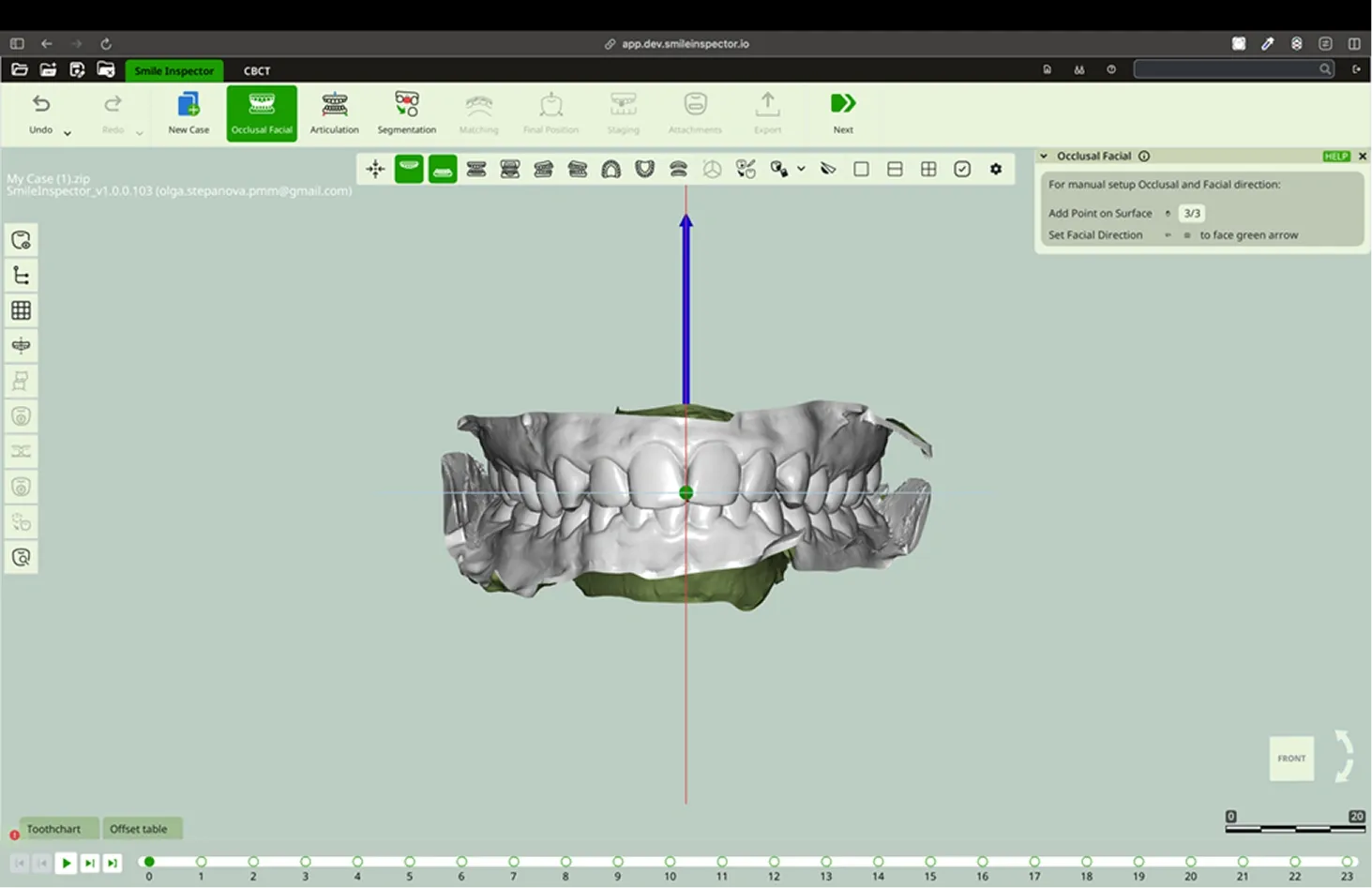
Selecting jaw in Final Position window

Table Of Contents

May 1-3, 2026 ·Orange County Convention Center, Orlando

Booth #869

Join us at LMT LAB DAY Chicago 2026

Feb 19-21, 2026 · Chicago, IL

West Exhibit Hall, Booth: W-19