
Vladimir Lucenko
R&D & Operations
“With Auto Prep and the AI final position proposal, our lab plans much faster. Our technicians still keep hands-on control of every case.”

Doctor Viewer
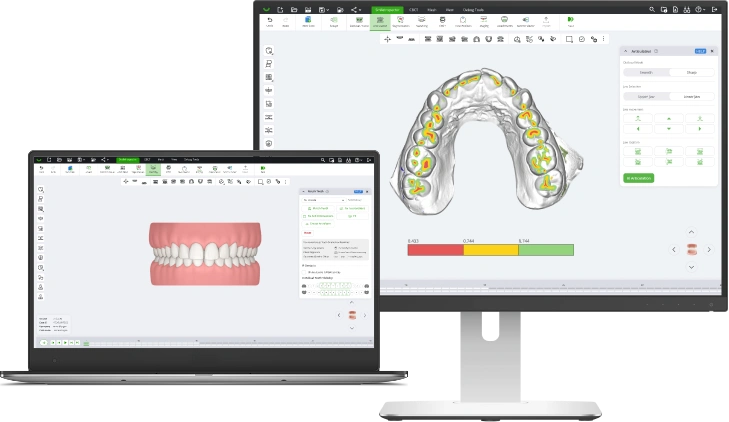
Share a case and the doctor opens it on any computer, in any browser. They change the final position, adjust attachments and IPR, comment, and approve. Comments reach you as they are written.
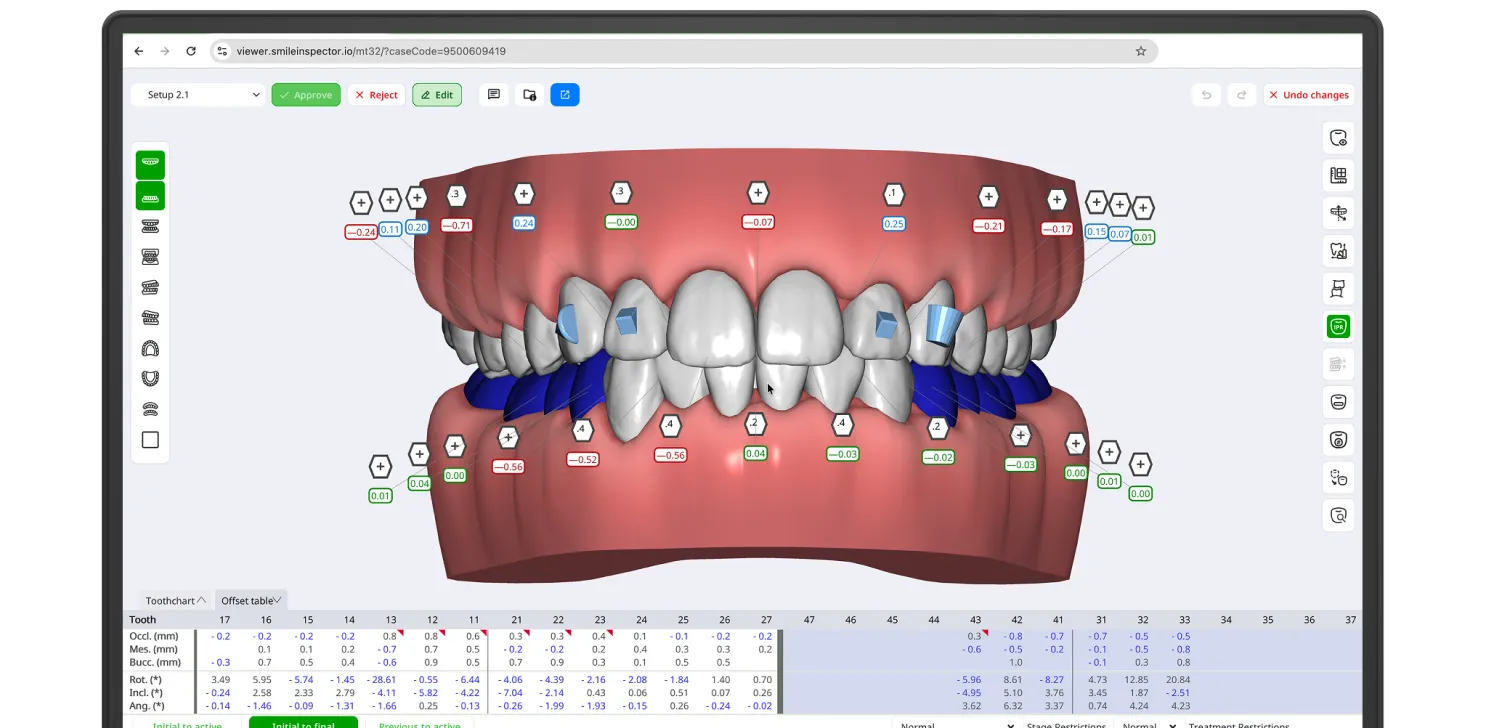
Send it to Doctor Viewer from the application. Every case has its own link.
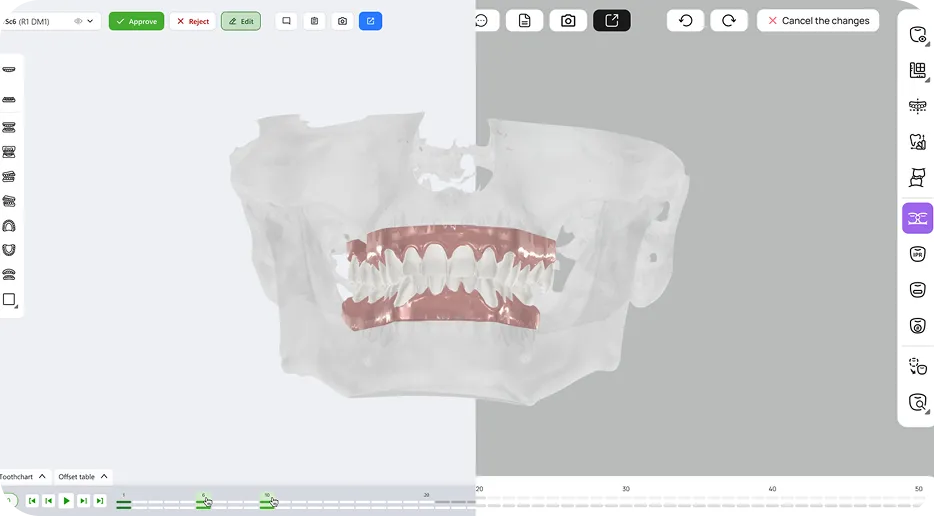
They open the case on any computer, step through the stages, play the treatment animation, and change the final position, attachments, or IPR where they disagree. Comments land in your Portal as they type, so you are not waiting on an email.
The approved setup becomes the default for export.
A doctor's edit never overwrites your setup. SmileInspector saves it as a new setup with the original still in place, and it shows the setup it came from, so you can put the two side by side. Nobody rebuilds a case from a comment thread, and nobody argues later about what was approved.
No limit on review rounds on a case.
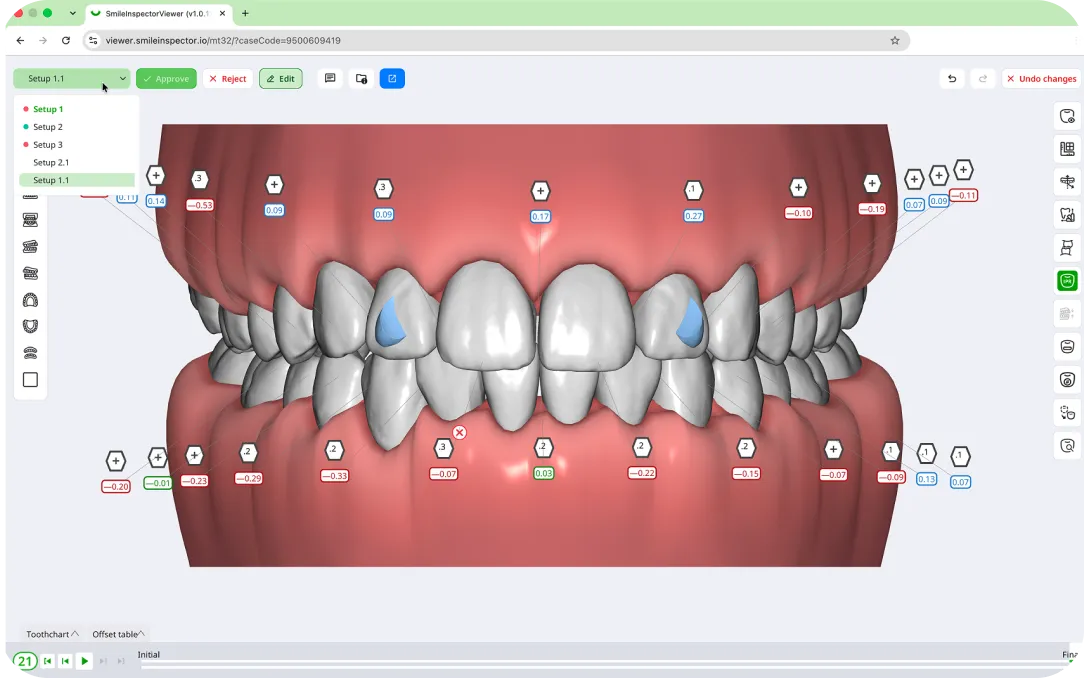
No install. Nothing to reconstruct on your side.

White labeling is available on request. Your doctors open the case under your logo and colors, so the review reads as part of your service rather than a third party's. High-volume customers can also request a custom domain.
A doctor needs a SmileInspector account to open a case, so a forwarded link gets nobody in on its own. A doctor outside your organization can be invited into it and reviews under their own account. In Portal, a doctor sees only the cases shared with them, and nothing else in your organization. The doctor you share with is the doctor who approves.
Doctor Viewer carries no separate charge, with no limit on the number of doctors or shared cases.
See pricingConnect SmileInspector to your organization's identity provider, so access follows the accounts and policies you already manage.
A doctor's edit becomes a new setup, and the setup it came from stays intact
Contact us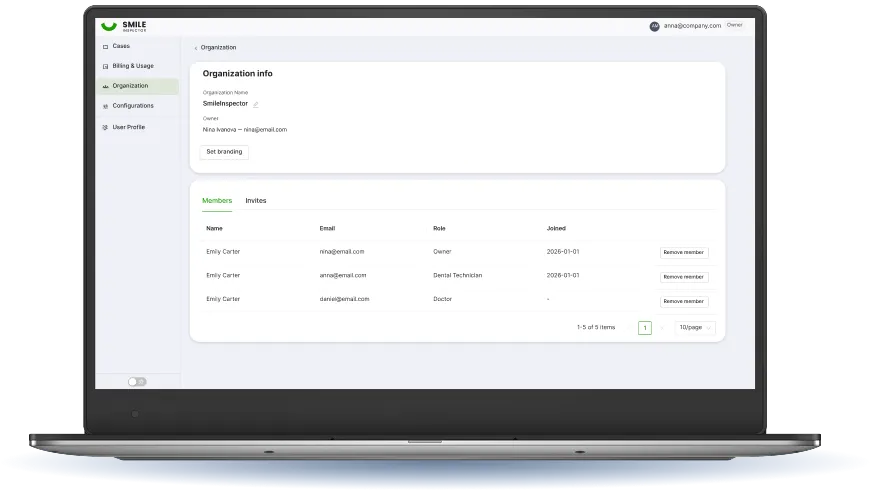
Vladimir Lucenko
R&D & Operations
“With Auto Prep and the AI final position proposal, our lab plans much faster. Our technicians still keep hands-on control of every case.”

Trịnh Trần Phú
Professional Director, X-aligner (Vietnam)
“SmileInspector provides highly accurate segmentation with fast, stable web-based performance.”
Vladimir Lucenko
R&D & Operations
“We connected SmileInspector to our ERP through the API. It fits what we run today, and everything runs smoothly.”

Adekoye Ogunro
Clinical Director
“SmileInspector combines user-friendly aligner planning with outstanding support from day one.”
No. The doctor edits the final position, attachments, and IPR. They can see how far each tooth moves per stage, but the staging itself stays with whoever planned the case.
It comes back to you with the doctor's comments explaining why, and the setup they rejected stays intact alongside any edit they made. There is no limit on how many review rounds a case can go through.
No. Doctor Viewer is part of SmileInspector. There is no separate charge for it, and no limit on the number of doctors or the number of cases you share.
Yes, which is what keeps a forwarded link from getting anybody in on its own. A doctor outside your organization can be invited in by email and reviews under their own account. The doctor you share with is the doctor who approves.
Their edit never overwrites it. SmileInspector saves the edit as a new setup with the original still in place, and it shows the setup the edit came from, so you can put the two side by side instead of rebuilding a case from a comment thread.
Every approval is stamped with who approved and when, and it lands in the case history. The setup the doctor approved becomes the default for export, so the file you ship is the file they signed off on.
White labeling is available on request and covers your logo and colors, so the review reads as part of your service. High-volume customers can also request a custom domain.
They are two different viewers, not one viewer with two permission levels. Doctor Viewer is for editing and approving the plan and needs an account. Patient Viewer is for showing a patient the proposed result and needs no registration at all.
We use cookies to help you navigate efficiently and perform certain functions. Optional cookies are stored only with your prior consent. You can change these choices at any time.
Necessary cookies are required to enable the basic features of this site, such as providing secure log-in or adjusting your consent preferences. These cookies do not store any personally identifiable data.
Functional cookies help perform certain functionalities like sharing website content, collecting feedback, displaying embedded media, and other third-party features.
Analytical cookies are used to understand how visitors interact with the website and provide information such as visitor numbers, bounce rate, and traffic source.
Performance cookies are used to understand and analyze key performance indexes, helping us deliver a better experience for visitors.
Advertisement cookies are used to provide relevant advertisements and analyze the effectiveness of advertising campaigns.
Other cookies are those that are being identified and have not yet been classified into another category.
Google services may process consent signals according to Google’s Privacy Policy.
