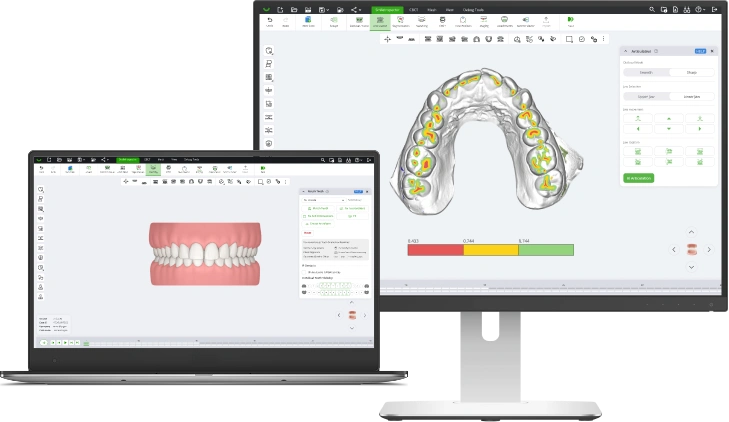
SmileInspector v1.0.12.326 is live!
Version 1.0.12.326 adds Auto Prep for one-click plan design, AI Final Position as a limited beta, a Case Summary HTML report for every aligner case, and a Before/After view in Patient Viewer.

This release makes treatment plan design faster, gives patients a clearer view of their planned treatment, and adds a summary report for every aligner case. You can now go from intraoral scan to Final Position in a single click with Auto Prep, try AI Final Position as part of a limited beta, download a Case Summary HTML report after the aligner workflow, and show patients a Before/After view in Patient Viewer.
Highlights
Auto Prep
Auto Prep runs the early treatment plan design steps with one click, so you go from intraoral scan to Final Position without stepping through each stage manually.
- New one-click Auto Prep button in the main Ribbon
- Automated Occlusal Facial setup, Articulation, and Crown Segmentation
- Manual refinement available at any step
AI Final Position (limited beta)
AI Final Position is now open as a limited beta. The AI suggests an initial teeth position, which you can review and adjust, so you start your Final Position from a stronger setup.
Contact us to request access.
Case Summary report
A new Case Summary HTML report is available for aligner cases. You can download it once the aligner workflow is complete.
- Patient photos
- Free-form clinical notes
- IPR scheme on a tooth chart
- Attachment placements on a tooth chart
- Stage-by-stage aligner specification
Patient Viewer
Patient Viewer adds a Before/After view and faster animation, so you can show patients their planned outcome more clearly chairside or remotely.
- Before/After view
- Faster animation playback
- Predefined Views for consistent case presentation
- Works in major browsers and built-in WebView browsers on mobile apps
Doctor Viewer improvements
Easier sharing and cleaner controls during case review.
- Open a specific case revision directly from a shared link
- New split view to compare two views side by side
- Right mouse button now rotates the model
Export improvements
More control over what gets exported and better reliability on complex cases.
- New default export preset: Printable Model With Fillers
- Edited trimline points are now considered in aligner generation
- Better handling of complex geometry during export
- Trimline can be exported as a
.txtfile
CBCT workflow
Smoother manual control where it matters most.
- Improved manual CBCT roots segmentation
- Improved manual CBCT to intraoral scan alignment
Other improvements
Workflow polish
- New
.otpsfile extension for sharing treatment plans - “Send to Viewer” menu renamed to “Share Setups”
- Async Task Manager runs large downloads (configuration files, libraries, CBCT data) in the background
- More cases shown in the Open Case list
- Visibility settings are restored when you switch back to a previous setup
- Portal now has a Configuration service UI
Visualization polish
- Improved fake gingiva surface and updated texture
- Stage Player shows passed stages in color
- Offset Table has new lock icons and tooltip
Questions or feedback? Contact us at support@smileinspector.io.